
foodleplus

Hotel Guest SOS System

Your Guest Needs Help. You'll Know in Seconds Anywhere.

A guest in distress shouldn't have to find a phone, dial a number, or wait for someone to notice. Foodle+'s hotel guest SOS system lets guests send an instant emergency alert directly from their phone, whether they're in their room, by the pool, or even outside the property. Your team receives the alert immediately, allowing them to identify the guest and respond without delay.

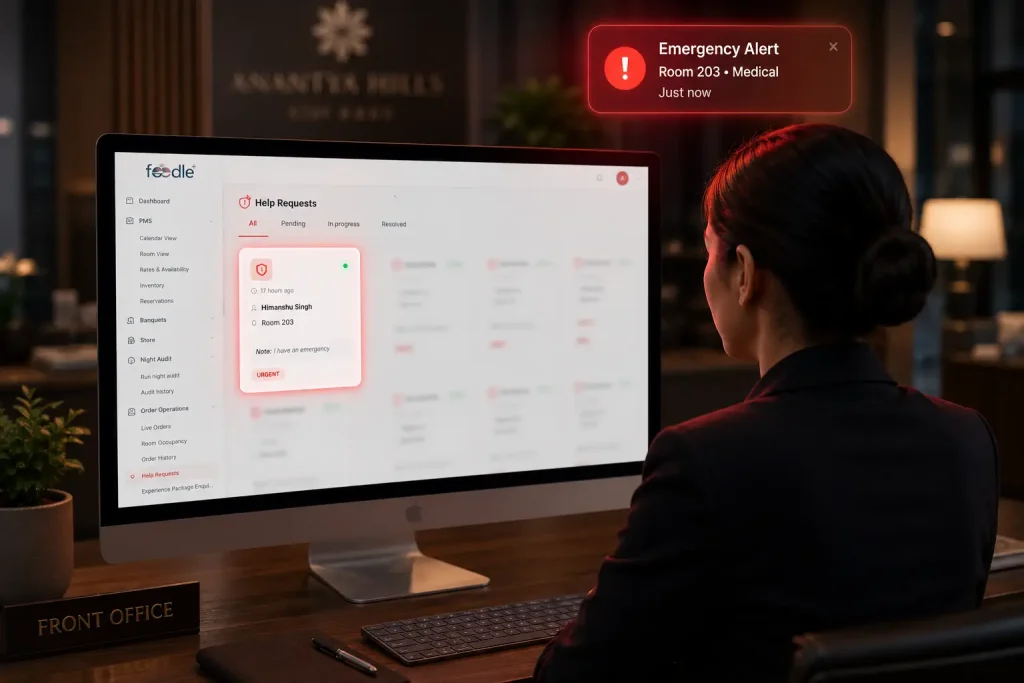
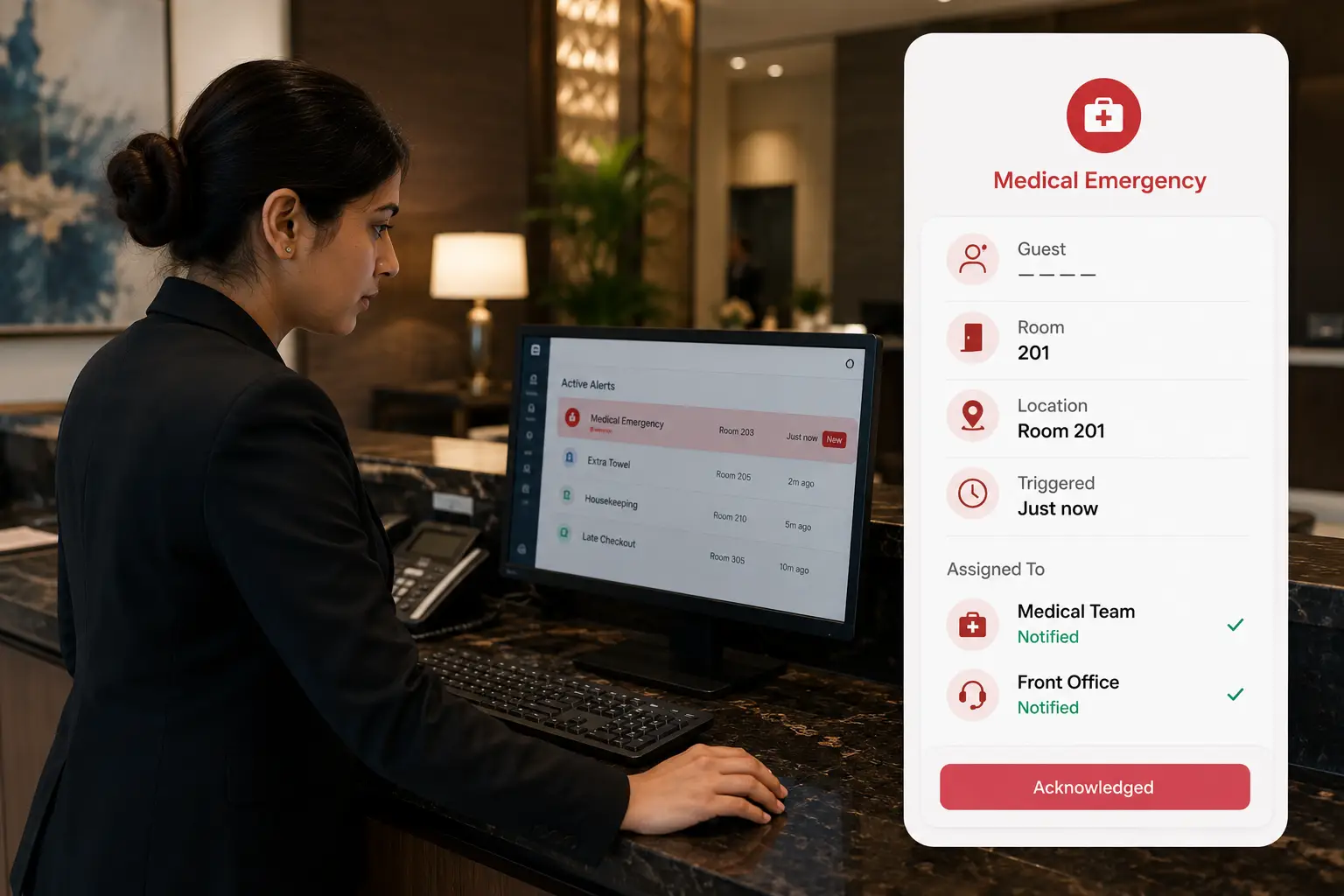
Hotel guest SOS system dashboard displaying a medical emergency alert from Room 203, enabling front office staff to respond instantly through a guest safety platform.
100+ Hotels & Resorts STAAH & Aiosell Integrations 2000+ OTA Connections More Revenue Per Guest 100+ Hotels & Resorts STAAH & Aiosell Integrations 2000+ OTA Connections More Revenue Per Guest

One Alert. Instant Visibility. Faster Help.

Foodle+'s guest safety platform connects every emergency to the right person the moment it happens. No phone calls, no searching for a number, no waiting for someone to walk past. Your team sees who needs help and where, without your guest having to explain anything twice.

Instant Emergency Alerts

A guest facing a medical issue, a safety concern, or any urgent situation can trigger an alert in seconds. Foodle+'s hotel guest SOS system sends it straight to your dashboard the moment it's raised, no delay, no missed signal.

Guest Safety Beyond Your Property

Most safety tools stop working the moment a guest steps outside. Foodle+'s guest safety app stays active even when a guest is away from the hotel, at a nearby market, a local attraction, or anywhere they're carrying their phone.

No Extra App, No Extra Step

Guests already access Foodle+ from their phone for orders and requests. The same hotel guest help button is right there, no separate download, no new login, no friction when every second matters.

Alert Goes to the Right Person

When every second matters, delays aren't an option. Foodle+ delivers SOS alerts to your hotel dashboard in real time, so your team can quickly identify the guest and provide immediate assistance.

Faster Response, Every Time

When alerts travel instantly instead of through calls or relayed messages, your team responds faster. Hotel guest safety improves directly because there's no gap between the guest reaching out and your team finding out.

Deliver a Safer Guest Experience

Guests appreciate hotels that prioritize their well-being. Quick emergency support builds trust, improves satisfaction, and strengthens your brand.

How Foodle+ Hotel Guest SOS System Works

No extra setup for guests. No separate hardware. Foodle+ connects every emergency alert straight to your team, from the moment it's triggered to the moment help arrives.

1

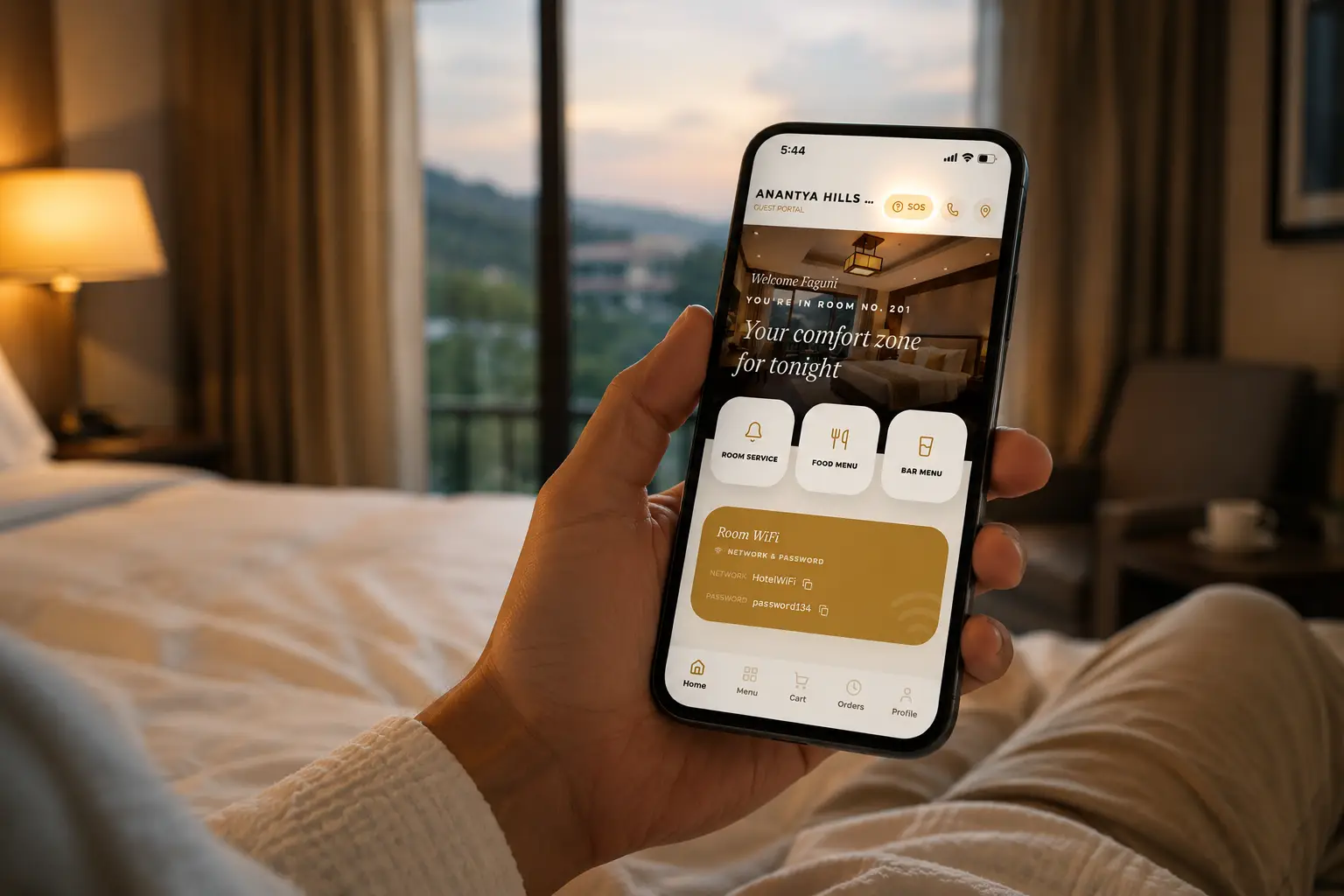
Guest Opens Foodle+ From Their Phone

Whether they're in their room or out exploring nearby, guests already have Foodle+ open on their phone for orders, requests, and services. The SOS option is right there, no separate app, no extra download.
Set up menu on dashboard
2

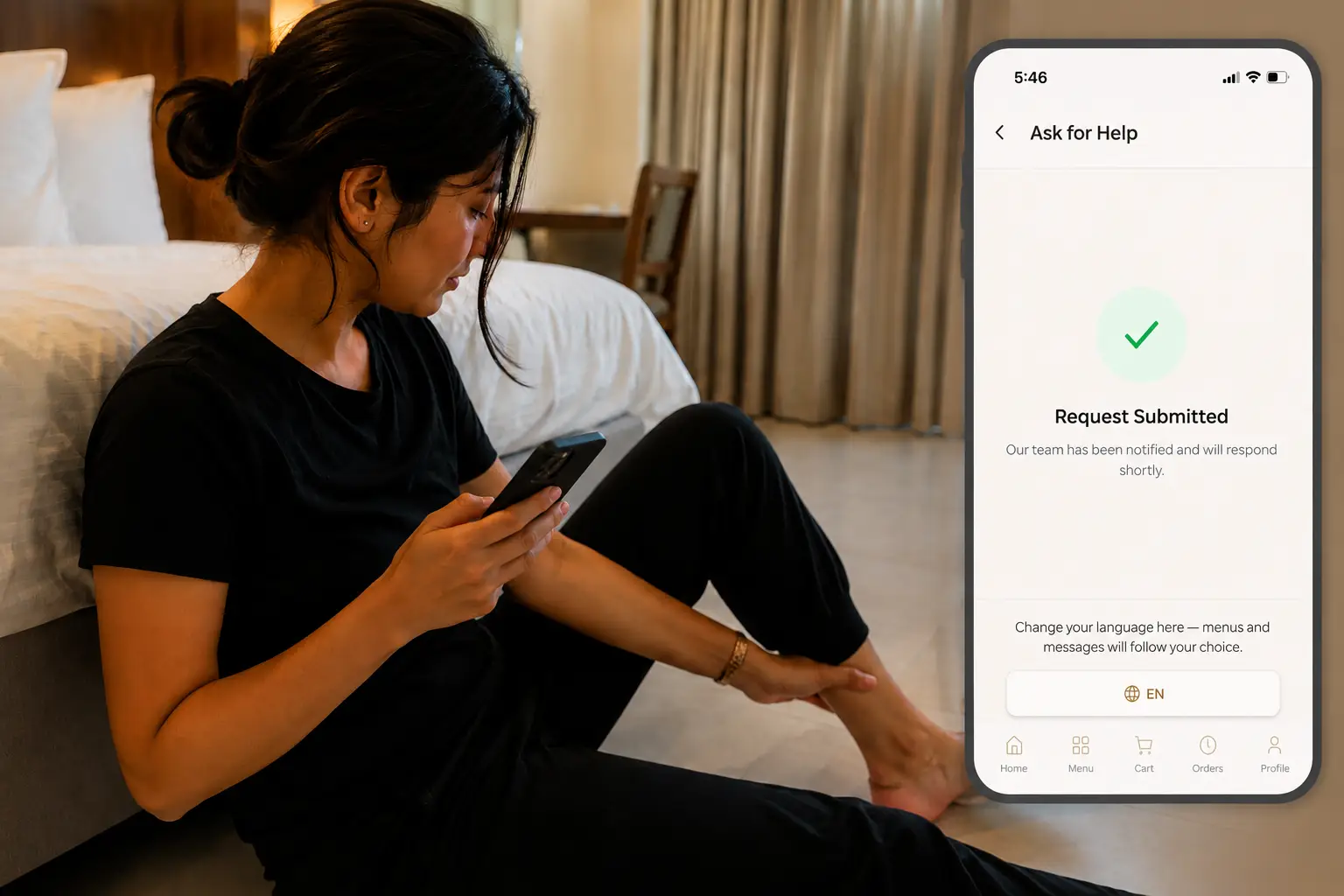
Guest Triggers the Alert

One tap sends a direct guest distress alert. The guest doesn't need to explain the situation, find a number, or wait on hold. The alert carries their identity and context automatically.
Guest scans QR code
3

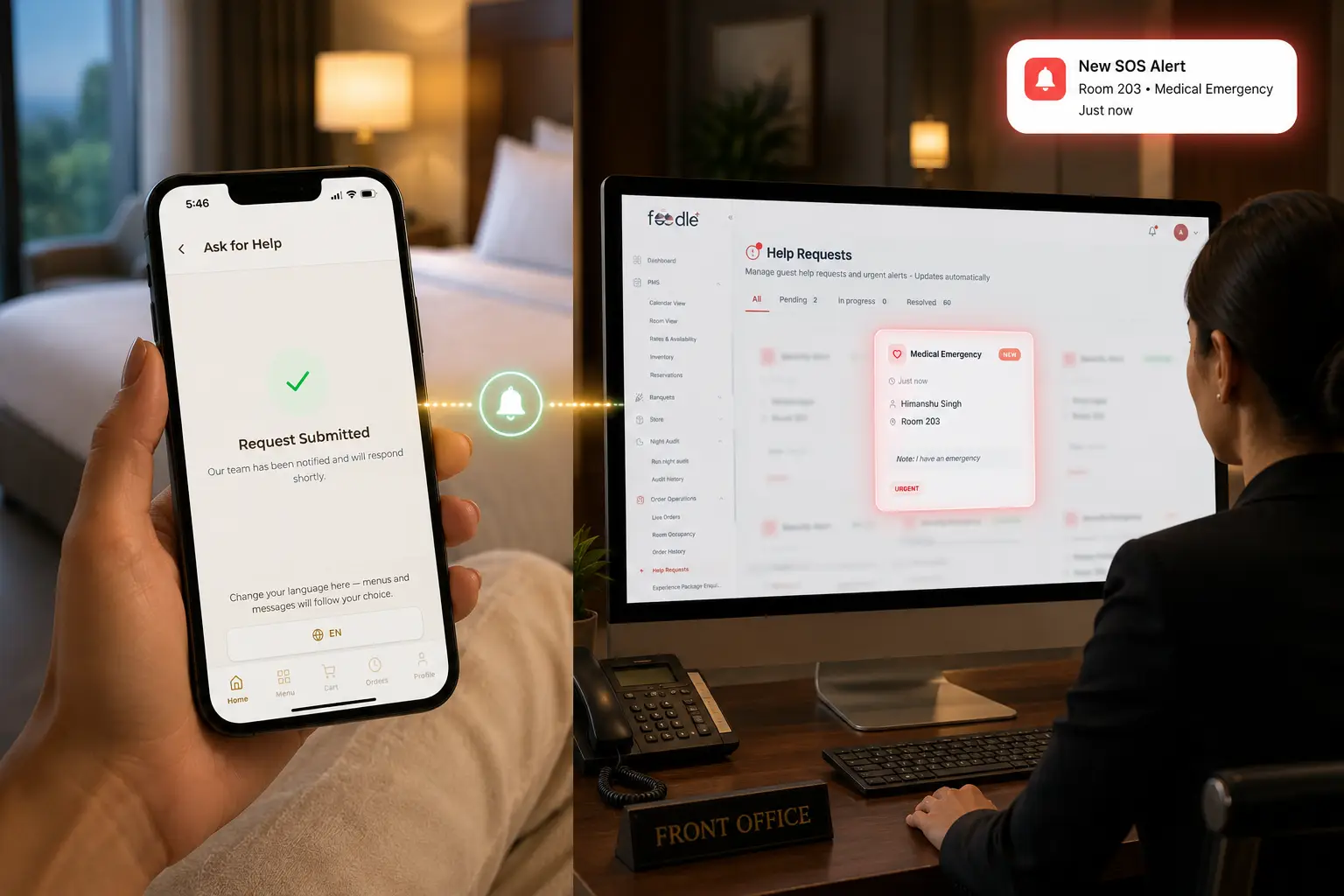
Instant Front Office Alerts

The moment a guest triggers an SOS, an instant alert appears on your front office dashboard. Your team can immediately see who needs help and take action without delay.
4

Your Team Sees Who and Responds

Your team immediately knows which guest triggered the alert and acts without having to ask clarifying questions first. The right person gets notified without the alert getting lost between departments.
Team updates guests see instantly
5

Help Reaches the Guest Without Delay

Because the alert moved instantly instead of through a chain of calls or messages, your team can respond while the situation is still manageable, not after unnecessary minutes have passed.
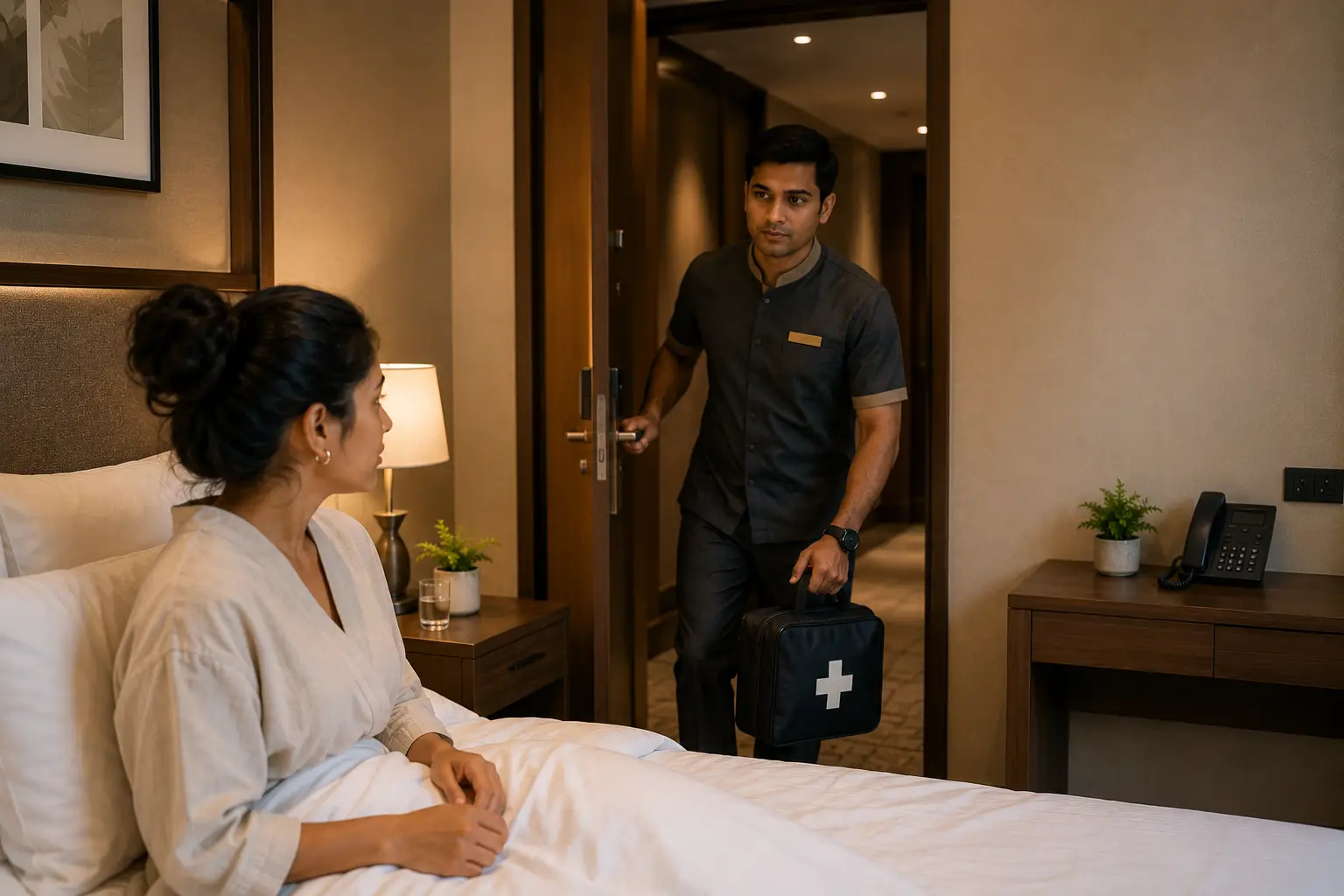
Help reaches the guest without delay
Step 1 of 5
Set up menu on dashboard Guest scans QR code Guests browse live menu Team updates guests see instantly

Features That Make Your Guest Safety App Even Stronger

These features work alongside Foodle+'s SOS system so every alert connects to real action across your property.

WhatsApp Integration

The same emergency alert can also notify your team on WhatsApp, so managers off the dashboard still get the message instantly. No one misses a guest in distress just because they stepped away from a screen.

Hospitality Automation

Every alert is automatically routed to the right department, security, management, or front desk, based on how your property is set up. No manual sorting during a moment that can't afford delays.

Analytics & Reporting

Track every guest SOS alert from trigger to resolution. Foodle+ logs response times, acknowledgements, and incident history, giving you complete visibility into your emergency response performance.

Solutions for every business

Every property is different. Here's how Foodle+ fits into yours.

Foodle+ hotel software for managing hotel operations and improving guest experience

Hotels

Hotel guests expect to feel safe from check-in to checkout, and beyond the property too. Foodle+'s hotel guest safety tools let any guest trigger an alert instantly, with your front desk and security team notified the moment it happens, without anyone needing to track down a phone or staff member first.

Foodle+ software for homestays to manage daily operations and enhance guest experience

Homestay

Homestay hosts aren't always on-site. Foodle+'s guest emergency alert app lets guests reach out the moment something goes wrong, and hosts get notified directly on their phone, even if they're managing the property remotely.

Foodle+ resort software for managing operations and delivering better guest experience

Resorts

Resorts span large areas with guests spread across pools, restaurants, and activity zones. Foodle+ connects every part of the property so an alert from any guest, anywhere on-site, reaches the right team member without delay.

Trusted by hotels like yours

Here's how hoteliers across India are using Foodle+'s digital hotel menu to cut printing costs, reduce errors, and give every guest a better experience at the table.

See How Foodle+ Fits Your Property

Tell Us About Your Property

Share a few details about your hotel so we can understand your operational needs and business goals.

Get a Personalized Demo

Our hospitality experts will show you how Foodle+ fits your property and answer your questions.

Receive the Best Plan

Receive a solution designed to improve operations, guest experience, and revenue.

Contact form 2

Foodle+ Is Simple. But We're Always Here.

From setting up your first digital hotel menu to managing daily updates - our team is with you every step of the way.

24/7 Support

Emergencies don't wait for business hours, and neither do we. Our team is available around the clock so your hotel guest help button never goes unmonitored.

Live Agent

Every time you reach out, you speak to a real person who knows your property and gets things resolved fast. No ticket queues. No generic replies.

Email Support

Have a question about your menu setup or item display? Write to us anytime. We reply quickly with clear answers, and everything stays in writing.

Frequently Asked Questions ( FAQs )

Foodle Plus is not just a platform, we work closely with your team to ensure smooth operations and continuous growth.

A hotel guest SOS system lets guests send an emergency alert directly from their phone the moment they need help. Foodle+ instantly delivers the alert to your hotel dashboard with the guest's details, helping your team identify the guest, locate them, and respond without delay.

A guest taps the SOS option from the same Foodle+ screen they already use for orders and requests. The alert reaches your dashboard instantly, along with the guest's identity and stay details, so your team can respond without asking clarifying questions first.

Yes. Unlike most in-room safety tools, Foodle+'s guest safety app stays active even when a guest steps away from the property. If a guest needs help nearby, not just inside their room, the alert still reaches your team.

No. Guests already use Foodle+ on their phone for ordering and service requests. The hotel guest help button sits within the same experience, so there's no extra download, login, or setup required from the guest.

The alert goes directly to your property's front office screen and locks it until acknowledged, so it can't be missed or pushed aside. This means whoever is at the front desk sees it instantly and has to act on it before moving to anything else.

Foodle+'s guest distress alert is designed for any situation where a guest needs urgent help, a medical concern, a safety issue, or anything that requires immediate attention. The guest doesn't need to specify details upfront; the alert itself signals urgency.

Most hotel guest safety tools require additional hardware, installation, or a separate app just for emergencies. Foodle+ builds the SOS option directly into the same platform guests already use, which means faster adoption and zero extra equipment for your property to manage.

Yes. Foodle+'s Guest Emergency alert app works for homestays as well as hotels and resorts. Hosts who aren't always on-site still receive the alert directly on their phone, so guest safety isn't dependent on someone being physically present.

Setup is handled by our team as part of your Foodle+ onboarding. There's no separate installation, the SOS option becomes part of the same dashboard and guest experience you're already using.

Yes. Foodle+'s guest safety platform is built to route alerts correctly regardless of property size, so whether a guest is at the pool, the restaurant, or a guest room, the right team member is notified without delay.

See Foodle+ in Action.

Give Every Guest a Way to Reach You - Instantly, Anywhere.

Book a Demo

See how Foodle streamlines menu management, order tracking, and kitchen operations in one simple dashboard. Get a quick, personalised walkthrough no commitments.

Contact form 2

Connect With Us

We’re here to help with support, questions, and partnerships.

Contact Form