
How Hotel Automation Improves Day-to-Day Operations
By Foodle+ Team • • 7 MINS READ
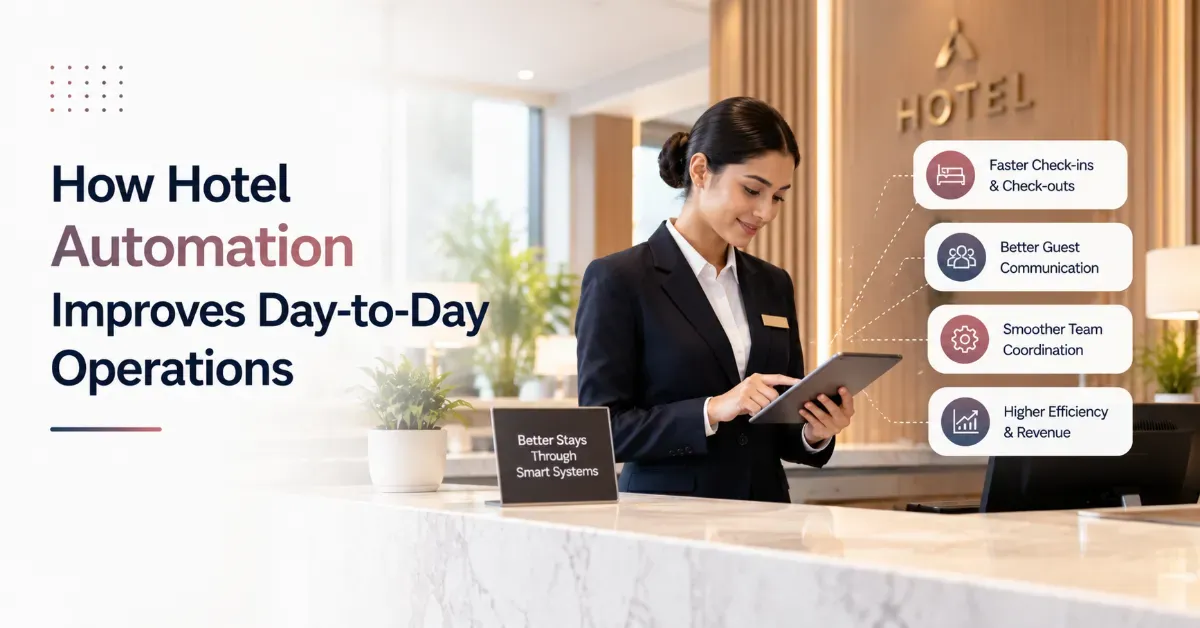
The main hotel automation benefits are:
Faster guest service, because requests reach the right team at once
Less manual work at the front desk
Fewer billing and data errors
A more productive team, especially in housekeeping
More revenue per guest from digital menus and timed offers
Better reviews through in-stay feedback
Live reports that show where money and time go
Lower costs and less paper
Searching for hotel automation benefits usually means one thing. You want to know what changes on an ordinary shift, and whether it's worth the effort.
Short answer: automation takes repeat tasks like routing requests, posting charges and updating room status out of people's hands. Your team keeps the work that needs judgment. Each benefit below shows what that looks like on a real shift.
Below, you'll see how automation improves hotel operations, one benefit at a time. The role of automation, where to start and common questions follow the list.
- 1\. Faster Guest Service
- 2\. Less Manual Work at the Front Desk
- 3\. Fewer Billing and Data Errors
- 4\. A More Productive Team
- 5\. More Revenue Per Guest
- 6\. Better Reviews and Guest Feedback
- 7\. Live Reports for Better Decisions
- 8\. Lower Costs and Less Paper
- What Is the Role of Automation in Hotel Operations?
- Which Benefit Should You Chase First?
- Frequently Asked Questions
1. Faster Guest Service

Automation sends each guest request to the right team and tracks it until it's closed. A guest scans the QR code in the room and asks for towels or a table. Housekeeping or the restaurant sees it at once. Nobody relays it through the desk, and guests need no app, just a phone browser.
- Requests reach housekeeping, the kitchen, the spa or maintenance without a call to the desk.
- Managers see what's open and what's running late.
- Guests can order in their own language.
2. Less Manual Work at the Front Desk
Automation cuts front desk work by keeping reservations, guest records, rates and billing in one property management system (PMS). Details captured at booking carry through to the invoice, so your desk stops retyping the same information in three places. A HotelTechReport roundup found that 86% of hoteliers name the PMS their most important system for daily operations.
- Guest details are entered once, not at booking, check-in and billing.
- IDs are uploaded by staff or guests and stored digitally, and repeat guests are matched by phone number.
- A room sold on one OTA (online travel agency) updates the other channels through a channel manager.
3. Fewer Billing and Data Errors
Errors drop because the system, not a person, carries data from one step to the next. Restaurant, spa and room service charges post to the guest folio. Tax, such as GST in India, is calculated on the invoice automatically. At checkout, the desk reads one total instead of matching paper slips.
- Charges reach the folio straight from the point of sale (POS), so checkout arguments shrink.
- Availability updates across connected OTAs, which guards against double bookings.
- Kitchen order tickets (KOTs) print once, so the kitchen gets exactly what the guest placed.
4. A More Productive Team
Good automation in hotel operations hands out tasks and shows their status, so people stop asking each other where things stand. Housekeeping sees which rooms to clean first the moment a guest checks out. The desk knows what it can sell. The same HotelTechReport roundup says over 80% of hoteliers feel technology makes them more efficient. Only about 40% say it gives them a competitive edge. Adoption matters.
- Tasks go to named staff and get marked done.
- Live room status replaces the "is 204 ready?" calls.
- Role based access means each department sees only its own screen.
5. More Revenue Per Guest
Automation earns more per guest by putting the restaurant, spa and services in front of every guest at the right moment. A room QR code works as a digital menu and an order point, and offers can match the type of guest. The guest is already on your property, and automation makes buying easy. Results vary with your menu, guest mix and follow-up, so treat any promised percentage with caution.
- Dining orders come in from guests who never opened the printed menu.
- Spa and activity bookings that used to happen at the desk, or not at all, now get captured.
- Room upgrades are offered when they make sense, and banquet billing sits in the same system.
6. Better Reviews and Guest Feedback

Automation helps your reviews by catching problems while the guest is still in the hotel. In-stay feedback tells you about a cold room or a late order the same day. Post-stay prompts then nudge happy guests toward Google and TripAdvisor. Guest records, such as stay history and preferences, help your team greet repeat guests properly.
- Feedback arrives during the stay, while you can still fix the problem.
- Review prompts go out after checkout.
- Stay history and preferences sit in guest records for the next visit.
7. Live Reports for Better Decisions
Automation gives you your numbers as they happen. Reports show room revenue, tax, commission and lost revenue for any date range, so you aren't waiting for a month end spreadsheet. If you can't see room revenue and commission by date, you're guessing. Automation in hotel operations also makes slow nights and weak outlets visible early.
- Net revenue, room revenue and commission for any date range.
- Lost revenue, showing where nights went unsold.
- Live dashboards instead of end of month sheets.
8. Lower Costs and Less Paper
Automation lowers costs by removing small, repeated losses: reprinted menus, billing disputes, double entry and missed orders. None looks big alone. Together they add up over a year. Digital menus, digital ID storage and digital invoices also cut paper use. The saving depends on your property, so count your own reprints and disputes first.
- A menu change doesn't need a reprint.
- Fewer refunds and adjustments from billing mistakes.
- Less printing and filing of ID copies.
What Is the Role of Automation in Hotel Operations?
The role of automation in hotel operations is to take over repeat, rule based tasks so your team can focus on guests. It routes requests, posts charges, updates room status and builds reports. It doesn't replace hospitality. It covers the routine steps in between, and it doesn't skip any.
Where should you start? Pick the problem that costs you the most complaints, usually guest requests or billing. NetSuite's hotel automation guide recommends phased rollouts with staff training instead of switching everything at once. It also cites a 2025 industry report where hoteliers picked technology and automation as the top investment for returns over five years.
- Ask for a demo on your own rooms and outlets, not a generic one.
- Check that it works with the channel manager and tools you already use.
- Ask how long training takes. A few days for core functions is a fair expectation.
- Get the full cost, including training and support.
Which Benefit Should You Chase First?
Start with the plain ones. A request that doesn't get lost. A bill that matches the first time. A menu guests actually see. Numbers you can read today. These hotel automation benefits show up on every shift, not only in a yearly review. Want to see them on your property? Book a Demo, or get your Free Hotel Revenue Audit.
FAQs
What is hotel automation?
What are examples of hotel automation?
Does hotel automation replace staff?
What should a small hotel automate first?
Is hotel automation too expensive for independent hotels?
Related Posts
Hospitality Automation
Is QR Code Table Ordering Worth It for Hotel Restaurants?
25 Aug 2026
Hospitality Automation
How Hotels Can Update Menus Instantly Without Reprinting
29 Jul 2026
Hospitality
How Hotels Are Using a WhatsApp Ordering System to Increase Room Service Orders?
25 Aug 2026