
How to Switch Hotel PMS Without Losing Bookings or Guest Data
By Foodle+ Team • • 17 MINS READ
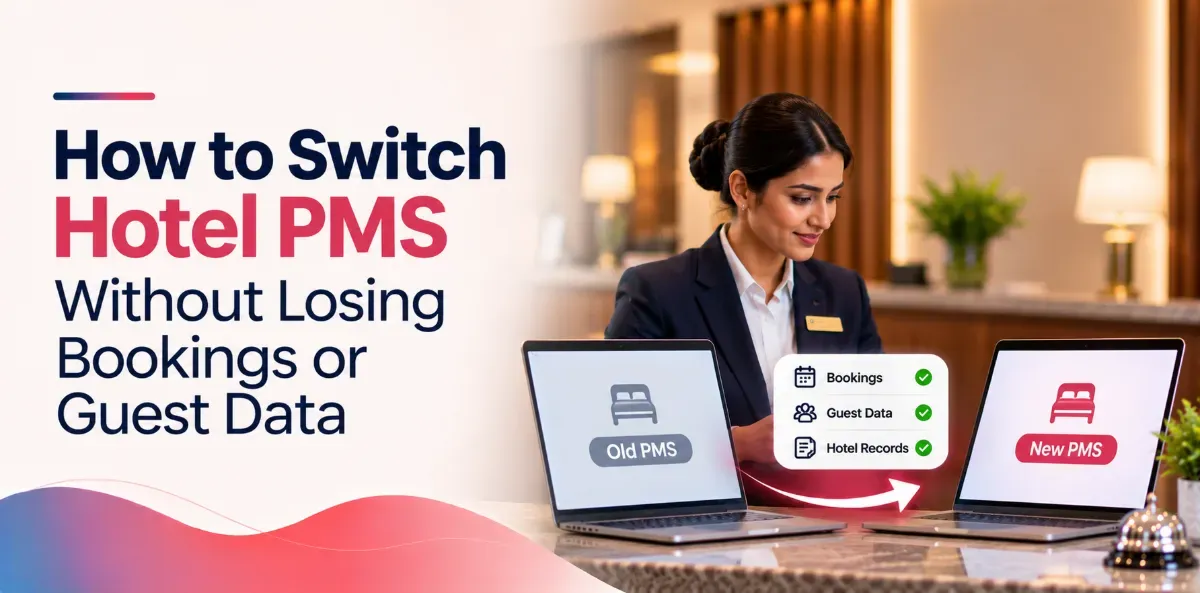
Yes. You can switch hotel PMS and keep every booking, every advance and every guest record.
Hotels do this every month. Nothing goes missing.
But here is the part nobody tells you. Data never vanishes on its own. It vanishes through five specific gaps. Close all five and your switch is a slightly busy week. Leave one open and you find out at 11pm, at the front desk, with a guest standing in front of you.
This guide gives you those five gaps, the exact data list to demand in writing, real timelines, and a checklist your team can tick off. No theory. Plain words.
- If you are in a hurry, read this
- The 5 gaps where bookings and data actually go missing
- What data moves, and what to demand in writing
- How long does it take to switch hotel PMS?
- Can you switch in the middle of the season?
- The switch, step by step
- The 10 questions to ask before you sign
- Four red flags in a vendor
- Three mistakes that quietly cost real money
- The checklist
- Frequently asked questions
If you are in a hurry, read this
Six things decide whether your data survives. That is the whole job.
- Pick one cutover hour.: Cutover means the exact moment the new system becomes the real one. Not a date. An hour.
- Repoint your booking sources at that same hour.: Your channel manager is the tool that feeds bookings from MakeMyTrip, Booking.com and Agoda. If it still points at the old system, rooms keep selling into software nobody is watching.
- Count your future bookings in both systems. The numbers must match exactly.: If the old one says 212 and the new one says 209, stop. Find those three.
- Check every advance shows as paid.: This is the one that turns into a fight at the desk.
- Get old bills settled in writing before you sign.: Not after.
- Keep the old system readable for 60 to 90 days.: Not running. Just readable.
Now the detail.
The 5 gaps where bookings and data actually go missing
Gap 1: Bookings that land in the old system after you moved on
This is the most common one, by a mile.
You move your data on Monday. On Tuesday three bookings come in. But the booking sites were still pointing at the old system, so that is where they land. On Wednesday you go live on the new one. Those three guests arrive. There is no room for them.
Why it happens: people treat the switch as a day, not an hour. For two days both systems are half alive.
How to close it: one cutover hour. Every booking source repointed in that same hour. Then count your bookings after the repoint, not before.
Gap 2: Advances that show up as unpaid
A guest paid ₹10,000 in advance last month. After the switch, that booking shows a zero balance paid. The guest arrives and your front desk asks for money again.
The guest is not wrong. Your system is. And no amount of apologising fixes how that feels to them.
Why it happens: most vendors move the booking. Payments against the booking sit in a different place in the data, and get skipped.
How to close it: pull a list of every future booking with money against it. Check each one by hand in the new system. For a 40-room hotel this is about 20 minutes of work. It prevents the worst conversation your front desk will ever have.
Gap 3: Old bills and GST invoices nobody moved
Your vendor moves your future bookings and your guest list. Many do not move your past invoices. And they will not mention it unless you ask.
Six months later your accountant needs a bill from last October. It is gone.
In India this is not a small problem. You must be able to produce GST invoices and foreign guest registration records long after the guest has gone home. If an officer asks, "the software company changed" is not an answer.
How to close it: ask on email, before you sign: do past invoices come across, yes or no? If the answer is no, agree in writing how you will look one up later. And keep your own full export either way.
Gap 4: The one "Notes" box that fits nowhere
Your old system had one box called Notes. Over ten years your front desk typed everything into it. Phone numbers. Company names. "Always wants room 204." "Do not give the room near the lift."
The new system has separate fields for each of those. Nobody decides where Notes should go. So it goes nowhere.
You do not notice on day one. You notice three months later when a regular guest arrives and nobody remembers anything about him.
How to close it: before migration, go field by field and decide where each thing lands. If something fits nowhere, agree that it gets dumped into one notes field rather than dropped.
Gap 5: The channel manager still pointing at the old system
This is Gap 1, but quieter and longer. Rooms keep selling into the dead system for weeks. Either you oversell, or you stop selling and never work out why occupancy fell.
How to close it: list every tool that sends or receives bookings. After cutover, test each one with a real booking that you watch arrive. Not a phone call to the vendor asking if it is done. An actual booking.
What data moves, and what to demand in writing
Ask for a yes or no against every line below. On email. Before you sign.
If a vendor will not put this in writing, you have learned something important about that vendor.
| What | Why you need it | Usually a problem? |
|---|---|---|
| Future bookings, with dates and room numbers | The one thing that cannot go wrong | Must be exact |
| Advances and deposits already paid | Real money, and guest trust | Often missed |
| Guest list with phone and email | Your marketing list. Yours, not the vendor's | Medium |
| Past bills and invoices | GST records, audits, old disputes | Often skipped |
| Company and travel agent accounts | Credit terms, who gets billed monthly | Medium |
| Unpaid company balances | Money you are still owed | Often missed |
| Rate plans and seasonal prices | Or somebody retypes a year of pricing | Medium |
| Repeat-guest notes and preferences | Why a regular feels remembered | Often messy |
| Room list and room types | A system cannot sell what it does not know | Easy |
| Taxes and your legal invoice details | A wrong setting repeats on every bill after go-live | Easy to get wrong |
| Staff logins and permissions | So the night clerk cannot change rates | Easy |
Two words you will hear in these calls. Export means pulling your data out of the old system into a file. Import means pushing that file into the new one. The file is usually a CSV, which is just a plain spreadsheet. Nothing to fear.
The file is never the problem. The problem is whether the two systems agree on what each column means. That is why the line-by-line list matters more than the technology.
How long does it take to switch hotel PMS?
Real ranges. Not sales promises.
- 20 to 50 rooms, one restaurant, one channel manager:: a few days of setup, then go-live. The fast end of the market is 2 to 3 days.
- With a bar, room service, a banquet hall and a few connected tools:: one to two weeks.
- A group of properties:: plan one property at a time. Five or six a month is a sane pace.
- If you also want every past invoice moved:: add time. This is usually quoted separately, and it is usually the part that slips.
What makes it slower:
- Your old data is messy and somebody has to clean it first
- Your old vendor is slow to hand over your own export
- You try to change three other systems in the same week
- You picked your busiest week
One useful bit of context. Published industry research found that roughly a quarter of hoteliers say data migration is what stops them from switching, and roughly a quarter say staff training. So if those are your two worries, you are not being difficult. You are worried about exactly the right two things.
Can you switch in the middle of the season?
Yes. It is just harder, and a mistake costs more.
If you have a choice, pick a window like this:
- A low week. Not a long weekend. Not a festival.
- Not the last week of the month, when your accounts close.
- Not the night before a wedding or a conference.
- A day your strongest front desk person is on duty, not on leave.
- For the cutover hour itself, early morning, right after the night audit. The night audit is the end-of-day routine that closes yesterday's accounts. Cut over just after it and your books are already balanced, which makes any mismatch easy to spot.
If you have no choice and must switch in peak season, do these three things:
- Keep the old system readable for 60 to 90 days.
- Print your arrival list for the next 14 days, on paper, before cutover. If something breaks at 11pm, that paper runs your hotel.
- Put one person at the desk whose only job for two days is checking the new system against that paper.
The switch, step by step
Before: get your data out, then clean it
Ask your current vendor for a full export of all your data, in spreadsheet format, on email.
Ask before you tell them you are leaving. Once they know, you are a cancelled account and your request goes to the bottom of the pile. Check your contract for a clause about export when you exit. Your guest list belongs to your hotel.
Then clean it. Everyone skips this step, and this is the step that decides whether the switch feels good or awful.
Fix these:
- The same guest sitting there four times, with four spellings of his name
- Phone numbers with no country code, or a stray space in the middle
- Companies that shut down three years ago
- Rate plans you stopped selling in 2023
- That Notes field, where you now decide what goes where
Remember this one line: moving bad data into good software just gives you bad data, faster. Clean it once, now, while you have a reason to.
Setup: test the boring things
Rooms, room types, rates, taxes, staff permissions. Then test the boring things, because the boring things are what break in public.
- Make a test booking. Is the rate right?
- Make a test bill. Is the GST correct, to the rupee?
- Does the invoice carry your legal name, address and GST number?
- Does a restaurant order reach the room bill?
- Can the owner log in from a phone?
A tax set up wrong does not announce itself. It just sits there on every bill until a guest or an auditor finds it.
Reconnect: everything that talks to your PMS
Make the list, then test each one with a real transaction:
- Channel manager, and through it every booking site
- Your own website booking engine
- Restaurant billing
- Electronic door locks
- WiFi login system
- Accounting software
- Any WhatsApp or SMS tool that messages guests
Train: by role, 2 to 5 days before go-live
Not three weeks early, because they will forget. Not on the day, because that is too late.
- Train by job, not by screen. Housekeeping does not need the rate screen.
- Make each person do their own daily task twice, with their own hands. Watching a demo is not training.
- Train one strong person per shift a little deeper. That person becomes who everyone asks at 2am, instead of calling support.
- Give each role one printed page. A page, not a manual.
Go-live: the cutover hour
- Cut over at the agreed quiet hour. The old system becomes read-only in that same moment.
- Printed 14-day arrival list sitting at the desk.
- A named support person with a direct number. Not a general helpline.
- Nobody takes leave that week.
First 7 days: three checks every morning
Every morning, compare three things against what actually happened: today's arrivals, today's departures, and yesterday's total revenue.
Raise any mismatch the same day, not next week.
A word on "parallel run." Some vendors suggest entering every booking into both systems for a few weeks and comparing. For a small hotel this usually backfires. It doubles your front desk's work in the exact week they are learning something new. And the moment they get busy, they will enter it in only one system. Now the two disagree and you cannot tell which one is right.
Three checks for seven mornings catches almost everything a parallel run would, with none of the double work.
After: close the old system properly
Do not just stop paying and walk away.
- Download a final full copy of your data and store it somewhere safe. Keep it as long as your accountant and the law require.
- Cancel the old contract in writing, and check the notice period. Plenty of hotels pay for months of software they stopped using.
- Remove the old system's access to your channel manager and booking engine, so no booking can ever land there again.
The 10 questions to ask before you sign
Ask them out loud. Watch whether they answer, or change the subject.
- Which of my data will you move, and which will you not? Line by line.
- Do past bills and invoices come across? If not, how do I look one up later?
- Will advances already paid come across as paid?
- Who does the import, you or me? Is it in the price, or extra?
- How many days from signing to go-live, for a hotel my size?
- Have you connected my exact channel manager and booking engine before?
- Who is my named contact on go-live day?
- If something breaks at 11pm on a Saturday, who picks up?
- If I ever leave you, can I export all my data myself? In what format?
- What is the full first-year cost, including setup, training and migration?
That last one matters most. The monthly price is rarely the real price. Setup, data migration, training and integration charges are often quoted separately, and they are where the first-year number doubles.
Three questions for your current vendor: please send a full export in spreadsheet format · how much notice do I have to give to cancel · how long will my data stay available after I leave.
Keep all of it on email. Not on phone. You may need it later.
Four red flags in a vendor
- They cannot give you the data list in writing. If they will not commit on paper, they will not commit on go-live day either.
- They will not let you export your own data later. That is a lock-in, not a feature.
- They pick your go-live date. Their calendar is not your occupancy chart. You pick the date.
- They promise your exact timeline before asking how many outlets and integrations you have. That is a guess dressed as a promise.
Three mistakes that quietly cost real money
Changing three things at once. New PMS, new restaurant billing, new channel manager, same week. When something breaks you will not know which one broke it. Change one thing. Let it settle. Then change the next.
Nobody owning the project. If it is everybody's job, it is nobody's job. One named person from your hotel owns this, and that person needs the authority to say "not this week".
Trusting one count. Count your future bookings in both systems before go-live. If the numbers do not match exactly, do not go live. Find the difference first.
The checklist
Before
- [ ] Full export received from the old vendor
- [ ] Data cleaned: duplicate guests, phone numbers, dead companies, old rates
- [ ] Written line-by-line list of what will and will not migrate
- [ ] Past invoice access settled in writing
- [ ] Go-live date picked by you, in a quiet week
- [ ] One named person owns the project
Setup
- [ ] Rooms, room types, rates, taxes and permissions entered and checked
- [ ] Test booking and test bill checked, GST correct to the rupee
- [ ] Every connected tool reconnected and tested with a real transaction
- [ ] Staff trained by role, 2 to 5 days before
- [ ] Future booking count matches old and new, exactly
- [ ] Advances verified as paid
- [ ] 14-day arrival list printed
Go-live
- [ ] Cutover at the agreed quiet hour
- [ ] Old system switched to read-only
- [ ] Old system disconnected from channel manager and booking engine
- [ ] Named support contact reachable, no staff leave that week
First week and after
- [ ] Arrivals, departures and revenue checked every morning for 7 days
- [ ] Final data backup stored safely
- [ ] Old contract cancelled in writing, notice period checked
FAQs
Will I lose my bookings if I switch hotel PMS?
How long does it take?
Do my past bills and invoices come across?
Can I switch during peak season?
Who owns my guest data, me or the software company?
What does it really cost?
What is the most common mistake?
Related Posts
Hospitality
Do Homestays Need a PMS? A Simple Guide for Guest Houses
11 Nov 2026
Property Management System
Hotel PMS vs Hotel Operating System: What Does Your Hotel Actually Need?
27 Oct 2026
Property Management System
15 Questions to Ask Before Buying Hotel PMS
27 Oct 2026