
OTA Listing Mismatch: What to Do When a Guest Argues at Check-in
By Foodle+ Team • • 7 MINS READ
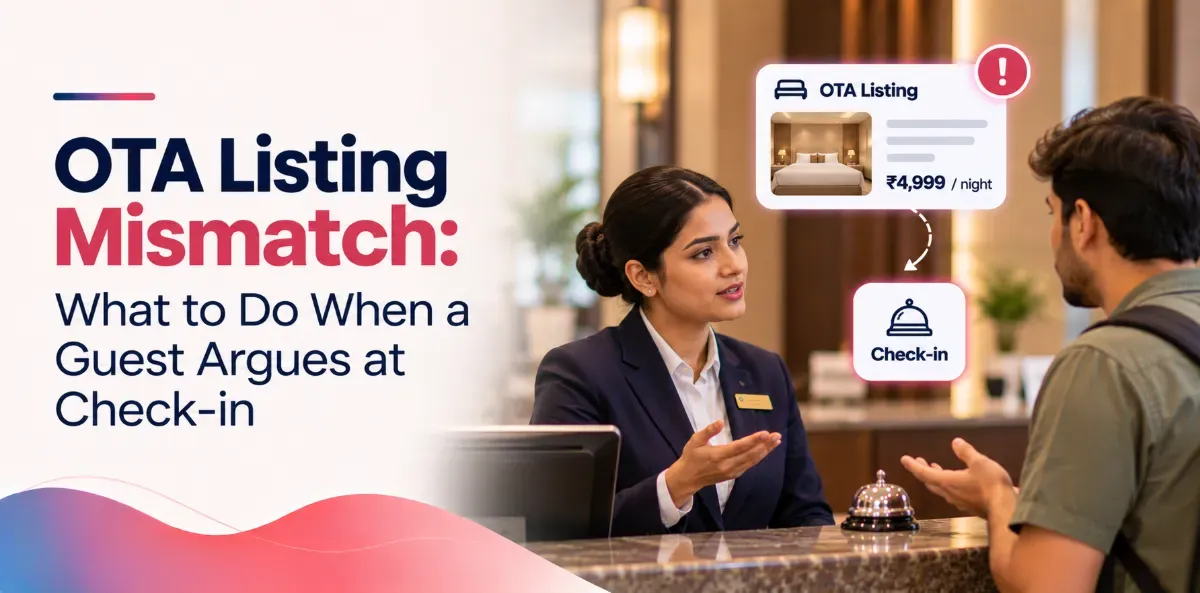
An OTA listing mismatch turns into a guest dispute at check-in when the page the guest read does not match what your hotel offers. The fix: give the guest what their OTA confirmation says. Do it calmly, at the desk, in the next few minutes. Sort out who pays with the OTA later.
Do not argue from your own price sheet. The guest never saw it. They read the OTA page, paid for what it showed, and walked in expecting exactly that. If you fight them at the desk, you lose the guest and risk a bad review, and you still do not get your money back from the OTA.
- The short answer: 5 steps at the desk
- What to say (and what never to say)
- The common mismatches and what to do
- Is it a real OTA listing mismatch? Check in 60 seconds
- What you can offer to settle it
- Who pays: you or the OTA?
- Why an OTA listing mismatch happens, and how to stop it
- Checklist
- Frequently asked questions
The short answer: 5 steps at the desk
- Stay calm and ask for the voucher.: Say: "Let me look at exactly what you booked."
- Read what they bought.: Room type, meals, bed, cancellation, payment, final price. Use the guest's voucher, not your PMS.
- Compare it with your PMS booking.: If both match, it is not a mismatch. If they differ, it is a wrong listing.
- Fix it for the guest now.: Give what the voucher promised, or a fair match you both agree to.
- Write it down and keep proof.: Screenshot the voucher, note what you gave, get the manager's okay. You need this to claim from the OTA.
What to say (and what never to say)
Say: "Thank you for showing me. Let me sort this out for you. Give me two minutes."
Never say: "That is the OTA's mistake." "Our rate does not include that." "You should have read the details." The guest does not care whose mistake it is. They care about their room.
Never blame the OTA in front of the guest. Blame goes in an email later. At the desk, you only solve.
The common mismatches and what to do
| The guest says | What probably happened | What to do |
|---|---|---|
| "My booking includes breakfast." | The OTA offer has breakfast, your rate plan does not | Give the breakfast. Fix the listing today. |
| "I booked a sea view or balcony room." | The OTA room name is broader than the room you assign | Give the room if you have it. If not, offer a fair swap. |
| "I paid less than you are charging." | Different rate plan, or tax shown differently | If the voucher shows a lower final price, honour it. |
| "It said free cancellation." | The OTA rule and your PMS rule differ | Follow the voucher for this booking. |
| "I already paid" or "It said pay at hotel." | Payment type did not reach your system | Check the voucher before you ask for money. |
| "The room is not like the photos." | Old photos or wrong room labels | Show the closest room, offer a fair swap, update the photos. |
The pattern is the same in every row: start from the voucher, not from your system.
Is it a real OTA listing mismatch? Check in 60 seconds
Not every angry guest is right. Before you give anything away, check:
- Which rate plan did they book?: The same room often has a cheaper non-refundable, no-breakfast plan next to a dearer one. The guest may remember the wrong one.
- Does the voucher match your PMS?: Compare room type, meals, cancellation and total.
- Is the final price lower on the voucher?: Mobile-only deals and member prices can make a price look wrong when it is not.
If the voucher and your system really disagree, the guest is right. Honour the voucher and treat the rest as an OTA guest dispute you settle with the OTA, not with the guest.
If the voucher says non-refundable, no breakfast, standard room, and that is what you have, point to that line kindly. Then use the next section.
What you can offer to settle it
Yes, you can add a small gesture. It often ends the argument faster than a long explanation. Start small and go up only if needed:
- Free extras that cost you little:: welcome drink, late checkout, early check-in, free breakfast for one day, a better floor or view if a room is free.
- A discount on extras, not on the room:: for example, a percentage off the restaurant bill or spa. The room was paid through the OTA, so changing the room price gets messy.
- A room upgrade: only when you were not going to sell that room anyway.
Three rules keep this safe. Tell the team the limit they can give without asking, and send anything bigger to the duty manager. Write every gesture in the log, because the cost is yours unless the OTA agrees to cover it. And do not promise a gesture to every complaining guest, or word will spread that arguing pays.
Who pays: you or the OTA?
It depends on your agreement with that OTA and on who supplied the wrong detail. We cannot give legal advice, so read the part of your agreement about listing errors. Usually:
- If the OTA showed or changed the detail wrongly, you have a fair case to ask them to cover it.
- If your team or your channel manager sent it wrongly, they will usually say it is your side.
- If nobody can prove who sent it, you normally absorb it.
So proof matters more than anything. Keep these the same day:
- Screenshot of the guest's voucher, with the booking ID and date
- Screenshot of your OTA extranet for that booking (the extranet is your login page on that OTA)
- Screenshot of what the public listing shows today
- A note of what the guest expected and what you gave, and who approved it
The hotel that has proof can ask. The one that does not can only complain.
Why an OTA listing mismatch happens, and how to stop it
If you do not fix the cause, the same argument comes back tomorrow. It is usually one of these:
- Someone edited the OTA page directly.: Your PMS or channel manager (the tool that sends rooms and rates to OTAs) still holds the old details, so the two disagree.
- A rate plan is linked to the wrong OTA offer.: For example, a no-breakfast plan linked to an offer with breakfast. This often follows a new plan or a renamed room.
- The room changed, the listing did not.: You renovated or changed a bed or view, but the photos and text stayed old.
- Room names mean different things.: "Deluxe" on the OTA is not your "Deluxe".
- The OTA changed its own content,: or shows tax and price differently from your PMS.
Four habits stop most of it:
- Once a month, look at your hotel like a guest.: Open each OTA on a phone and check room name, photos, meals, cancellation, payment type, extra-person rules and final price. Compare with your PMS. About 20 minutes per OTA.
- Edit in one place.: Change things in your PMS or channel manager, not also in the extranet.
- Keep one change log.: Date, what changed, who changed it.
- Give one person the job.: If everyone can edit, the listings drift. Re-check after any renovation, new rate plan or renamed room.
Checklist
- [ ] Ask for the voucher and stay calm
- [ ] Compare the voucher with your PMS
- [ ] Give what the voucher says if it is a real mismatch
- [ ] Offer a small gesture within your limit, and log it
- [ ] Screenshot the voucher, the extranet and the public listing
- [ ] Find the cause and fix the listing the same day
- [ ] Read your OTA agreement, then send proof in one email
- [ ] Check every OTA listing monthly, and after any change
FAQs
Do I have to honour what the OTA listing said?
Who pays for a wrong OTA listing?
The guest wants a refund. What now?
Related Posts

Hotel Management Software
Hotel Management Software Features Every Modern Hotel Needs
12 Sept 2026
Hotel Management Software
How Do You Avoid Double Booking and Overbooking at a Hotel?
5 Nov 2026

Hotel Management Software
How Do Hotels Earn Extra Revenue in the Slow Season?
3 Nov 2026