
How to Post Restaurant Bills to a Room: Step-by-Step for Hotels
By Foodle+ Team • • 11 MINS READ

Quick Answer: To post restaurant bills to a room, confirm the guest's name and room number, check that the guest is still staying, then add the bill to that room's folio (the guest's running bill). Use the right tax, date and bill number. Get the guest's signature on the bill, and match the totals at the end of every shift.
A guest finishes dinner at the hotel restaurant. He tells the waiter, "Add this to Room 412." The waiter hears 421 and adds the bill to Room 421.
Next morning, the guest in Room 421 checks out and sees a dinner bill. He never ate that dinner. He's upset, and the desk has to remove it. And the real guest in Room 412 may leave without being charged at all.
That's how one wrong number turns into an angry guest and a lost bill. The fix is a few clear steps. Here's how to post restaurant bills to a room, step by step.
- How Do You Post a Restaurant Bill to a Room, Step by Step?
- What Should Every Room Charge Carry?
- How Do You Fix a Charge Posted to the Wrong Room?
- When Should You Allow a Room Charge, and When Not?
- What Does the Guest See on the Final Bill?
- What Mistakes Cause Most Wrong Room Bills?
- Which Numbers Should You Check Every Day?
- Why Do Restaurant Charges Go Missing?
- Where Should You Start This Week?
- Frequently Asked Questions
How Do You Post a Restaurant Bill to a Room, Step by Step?
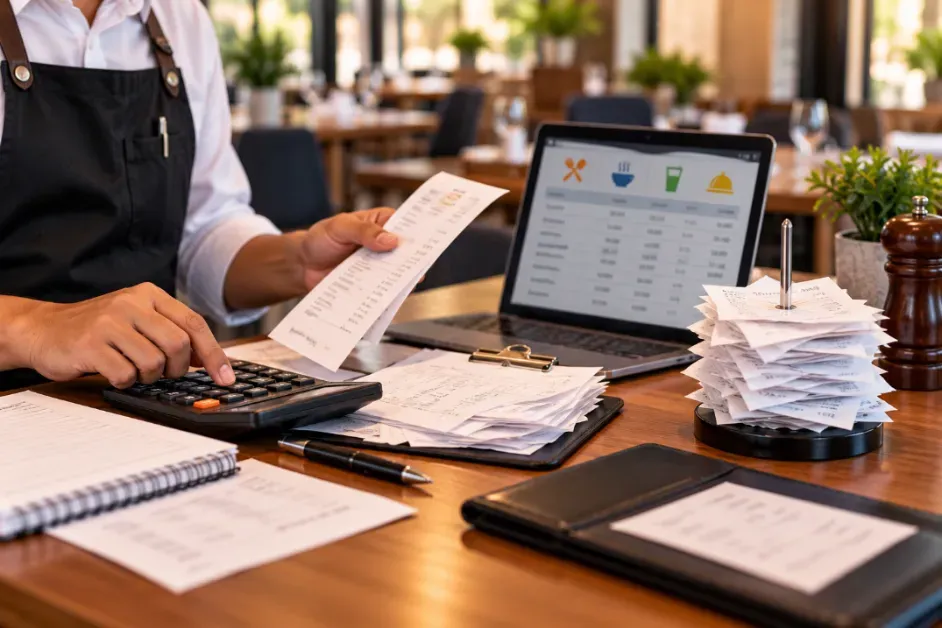
Posting a bill to a room means adding the restaurant charge to that guest's folio. A folio is just the guest's running bill. It holds the room rent, food, laundry and anything else the guest uses during the stay. At checkout, the guest gets one bill that shows everything. Do these seven steps for every room charge.
- Ask for the room number and the guest's name.: Don't stop at the number. Numbers like 412 and 421 look alike, so ask, "Which name is the room under?" Match both.
- Check that the guest is still staying.: Look up the room in your system or on the in-house list (the list of guests who are checked in right now). If the guest has already checked out, the charge has nowhere to go.
- Enter the order with the room number on it.: Put the room number and guest name on the order in your billing or POS (point of sale) system. Then the kitchen slip and the final bill match.
- Show the bill and get a signature.: The guest checks the items and the total, then signs with name and room number. A signed bill is your proof if the guest disagrees later. For room service, the person who delivers the food gets the signature at the door.
- Post it to the right folio.: Pick the right room and the right folio, since some stays have more than one. Choose the right type of charge, like food and not bar. Check the tax and the date. Add a short note, such as "Dinner, Table 6, Bill 1042".
- Read the line once.: Room, name, amount, date. It takes five seconds and stops most disputes before they start.
- Match the totals at the end of the shift.: Add up every room charge from the restaurant. Compare it with what landed on the folios. The two numbers should be the same. If they aren't, find the missing bill now, not at checkout.
What does one room charge look like from start to finish?
Take Mr. Rao in Room 412.
- 8:10 pm:: He orders dinner. The waiter asks, "Room 412, Mr. Rao?" He says yes.
- 8:12 pm:: The cashier checks the in-house list. Mr. Rao is staying until Monday.
- 8:55 pm:: The bill is printed with two main dishes, one dessert and tax. Mr. Rao checks it and signs.
- 9:00 pm:: The bill is posted to Room 412's folio with the note "Dinner, Table 6, Bill 1042".
- 11:30 pm:: The shift ends. The cashier adds up the day's room charges and matches them with the folios. Everything fits.
- Monday morning:: At checkout, Mr. Rao sees one clear bill with the dinner on it. No surprise, no argument.
Same dinner, same guest. The only difference is that every step was done in order.
What Should Every Room Charge Carry?
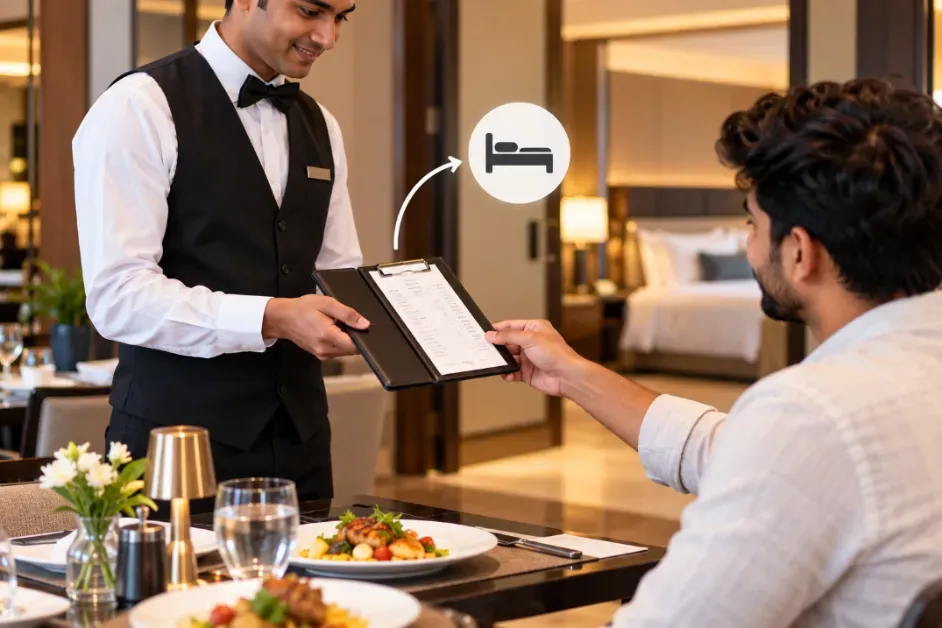
Seven things. If a posting has all of them, any staff member can understand it later without asking anyone.
| What to record | Why it matters | Example |
|---|---|---|
| Room number | The charge lands on the right bill | Room 412 |
| Guest name | Catches look-alike room numbers | Mr. Rao |
| Bill number | Links the folio line to the restaurant bill | Bill 1042 |
| Items, amount and tax | The guest can see exactly what was charged | 2 mains, 1 dessert, tax |
| Date and time | Puts the charge on the right day | 30 Oct, 8:55 pm |
| Outlet and staff name | Shows which outlet and who took the order | Restaurant, Anil |
| Guest's signature | Proof that the guest agreed | Signed on the bill |
A good folio line reads like this: "Restaurant, Bill 1042, Dinner, Table 6, 30 Oct, Anil." Short, clear and easy to trace.
How Do You Fix a Charge Posted to the Wrong Room?
Don't delete it and don't type a random minus line. Use the fix that matches the mistake, and always write the reason.
| What went wrong | The fix | Example |
|---|---|---|
| The charge should never have been posted | Void it | A bill was posted twice |
| One dish was cancelled after posting | Void that line only | The guest sent back a dessert |
| The charge is real but the amount is wrong | Adjust it | Tax was left out |
| The charge is right but it's on the wrong room | Transfer it | Posted to 421 instead of 412 |
| The charge was forgotten | Post it late, with a note | A bar tab missed at 11 pm |
Fix errors the same day if you can. In many systems, voids and changes get blocked after the night audit, which is the daily closing of the books. A guest who has already left is also much harder to correct than one still at breakfast. If a mistake is found after checkout, the hotel usually has to issue a credit note, so ask your accountant how to do it.
When Should You Allow a Room Charge, and When Not?
Room charges are easy to misuse, so set clear rules before the first order of the day.
Say yes when:
- The guest is checked in and the name matches the room.
- The guest signs the bill, or the room service staff get the signature at the door.
- The amount is normal for the stay. Ask the manager to approve a very large bill first.
- The meal is already part of the guest's package. In that case, post only the extra items.
Say no when:
- The guest has already checked out. Call the manager and follow your hotel's rule for late charges.
- The person isn't staying at the hotel. Treat it as a normal restaurant bill.
- The guest says "that's not mine". Stop and check the signature and the bill number first.
- The name doesn't match the room. Ask for the key card or ID, then check again.
Also decide who is allowed to post room charges. Fewer people means fewer mistakes, and it's easier to find who made one.
What Does the Guest See on the Final Bill?
At checkout, the guest gets one folio with the room and the restaurant on separate lines. Here's a made-up example.
| Date | Line | Amount before tax |
|---|---|---|
| 29 Oct | Room rent, one night | ₹3,000 |
| 30 Oct | Room rent, one night | ₹3,000 |
| 30 Oct | Restaurant, Bill 1042, Dinner, Table 6 | ₹1,400 |
Tax is added on each line at the rate that applies to it. Room and restaurant can have different rates, so the folio should never show one rate for the whole bill. Ask your accountant to confirm the rates your hotel uses.
Walk the guest through this bill at checkout. That's when a wrong charge is easiest to fix.
What Mistakes Cause Most Wrong Room Bills?
Almost all of them come from a small list.
- Two room numbers that look alike, and nobody checks the name.
- No signature on the bill.
- Late postings, like bar tabs added after checkout.
- Charges put under "miscellaneous", so nobody knows which outlet earned them.
- The wrong tax setting, which makes the total too low or too high.
- Typing the same bill twice, once in the restaurant system and once at the front desk.
Which Numbers Should You Check Every Day?
Start with five. They take a few minutes and catch problems early.
| Number | What it should be | What to do if it isn't |
|---|---|---|
| Restaurant room charges vs folio postings | Equal | Find the missing bill before the guest leaves |
| Bills with no signature | Zero | Ask the waiter and cashier what happened |
| Charges posted after checkout | Zero | Call the manager |
| Charges voided or moved | Very few, each with a reason | Read the reasons and look for patterns |
| Room charges still open or unmatched | Zero | Clear them before the day closes |
Why Do Restaurant Charges Go Missing?
Mostly because the same bill has to be typed in two places. One system runs the restaurant orders. Another runs the front desk. Someone has to carry the bill from one to the other, and on a busy night that someone is also taking another order.
When the two don't talk, bills wait in a pile, digits get mixed up, and charges are found only at checkout. If you want to see how a hotel POS system can help, start there. For a wider view of every restaurant order in one place, read about a centralized order dashboard for hotels.
Where Should You Start This Week?
Keep it small.
- Day 1:: Write the seven posting steps on one page and stick it at the cashier counter.
- Day 2:: Show every waiter and cashier how to confirm the name along with the room number.
- Day 3 to 5:: Check every room charge for a signature, a bill number and the right room.
- Day 7:: Match the week's restaurant room charges with the folios. Note every mismatch and its cause.
After one week, you'll know exactly where your charges go wrong.
FAQs
How do you post a restaurant bill to a room?
What is a guest folio?
What is room charge posting in a hotel?
How do you fix a restaurant charge posted to the wrong room?
Can a restaurant bill be posted after the guest checks out?
Why should the guest sign a room charge bill?
Should the whole bill go to the room?
Related Posts

Hotel Management Software
Hotel Management Software Features Every Modern Hotel Needs
12 Sept 2026

Hotel Management Software
How Do You Avoid Double Booking and Overbooking at a Hotel?
5 Nov 2026

Hotel Management Software
How Do Hotels Earn Extra Revenue in the Slow Season?
3 Nov 2026